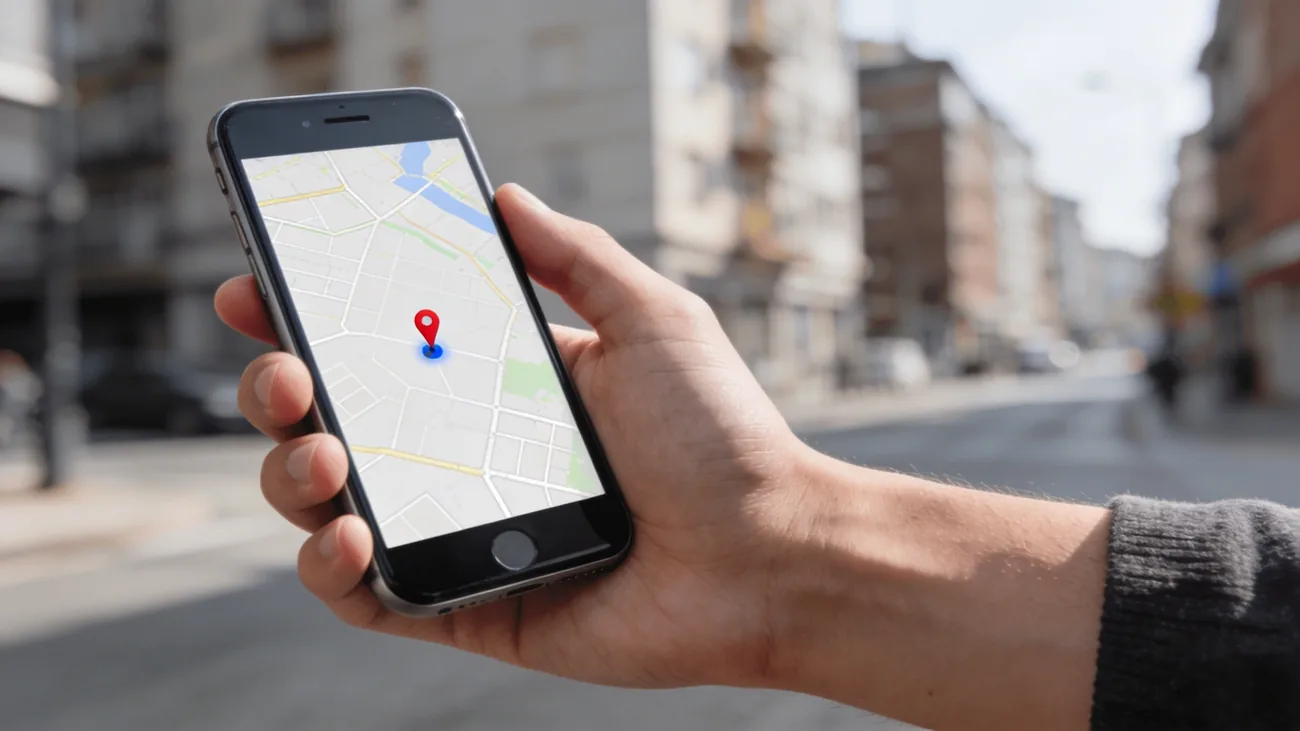
The answer: No Location Found means Find My cannot reach the selected device or person right now. First check whether you opened Devices (your own hardware) or People (a location someone shares with you), because each tab needs different steps. Do not turn off Find My to clear the message.
Table of contents
No Location Found is not a diagnosis. In Find My, the same wording can describe a missing device in the Devices tab or a person whose shared location cannot be reached in People. Those are different situations, so start with the tab before you change any setting.
If you selected your own iPhone, the useful question is whether Find My was enabled before it went missing. If you selected another person, the useful question is whether they still want to share and which device supplies their location. The message alone proves nothing about theft, a broken GPS chip, or secret monitoring.
Start with the tab that shows the message
Open Find My and look at the label at the bottom of the screen. Devices is for hardware signed in to your Apple Account. People is for a person who chose to share their location with you. Apple uses similar wording when either one cannot be located, but the next action changes completely.
| You selected | What the message means | Check first |
|---|---|---|
| A device under Devices | Find My cannot locate that device now | Whether Find My and its network were enabled before the loss |
| A name under People | The person’s shared location is unavailable | Whether they still choose to share, and which device is Sharing From |
Do not treat a location-sharing problem as a reason to turn off Find My on your own iPhone. That protection is what makes recovery possible if your phone is later lost, and disabling it clears no message on anyone else’s screen.
If it is your own device
Apple says Find My must be turned on before a device is lost. On a device you still hold, the path is Settings, your name, Find My, Find My iPhone. The same screen holds Find My network, which helps locate a supported device when it is offline, and Send Last Location, which sends a location when the battery runs low. None of these can be enabled retroactively on a phone that is already missing. Apple’s setup guide explains each option.
For a device that is already missing, select it in Devices. If a map location appears, use Directions only when it is safe to do so. If the screen says No Location Found, turn on Notify When Found. Apple documents that option for a device that cannot currently be located. It is more useful than repeatedly refreshing the map, because it waits for a new report instead of treating an old screen as evidence. Apple’s Find My guide describes the available actions.
You can also choose Play Sound. If the device is offline, Find My shows Sound Pending and plays the sound after the phone reconnects to Wi-Fi or cellular service. That is a queued action, not proof that the phone just came online. Keep the distinction clear when you decide what to do next.
If the device may be stolen, put it in Lost Mode to lock it and suspend Apple Pay, then follow your local police and carrier procedures. Do not travel alone to a map point, confront anyone, or treat an approximate dot as proof that a person is at that address. The full recovery sequence is in the Find My iPhone recovery guide. If the phone was exposed to water, the last position can still give context, but it does not make the device safe to retrieve. Our guide to a phone dropped in water explains that limit.
If it is a person in People
You cannot fix another person’s connection or sharing settings from your own phone. Apple shows No Location Found under the name of a person who cannot currently be located, without saying whether their battery is flat, they have no usable connection, they stopped sharing, or they changed their sharing device. The message is deliberately not a cause.
The right move is simple: if sharing was consensual, ask them whether they still want to share. They can open Find My, Me to check Share My Location and see the device listed next to Sharing From. Apple also offers Use This iPhone as My Location when a different device is supplying the share. The Find My iPhone recovery guide covers the Devices side of the same app for contrast.
Avoid reading an unavailable share as misconduct. A stale or missing pin is not a way to verify where someone is. If the real concern is whether a family member or former partner still has access to your own location, use the separate Family Sharing access checklist and review the actual recipient list instead of guessing from one status line.
If it is an iPhone you still hold
Sometimes the message appears for a phone sitting in your own hand, which points at setup rather than loss. Work through this short list on that device:
- Signed in to the same Apple Account. A device on a different account never appears in your device list. Check Settings, your name, and compare the address with the one you use in Find My.
- Find My is on. Go to Settings, your name, Find My, Find My iPhone, and confirm the switch is on.
- Find My network is on. The same screen holds this toggle, which lets supported devices be found even when offline.
- Location Services is on. Check Settings, Privacy and Security, Location Services. Find My depends on location access at the system level.
- A usable connection exists. Airplane mode, a dead zone, or exhausted prepaid data all leave Find My with nothing to report.
Change only settings on hardware you own. Toggling options on someone else’s phone, or asking them to weaken their privacy settings so your screen looks better, trades their safety for your convenience.
When the dot is present but looks wrong
No Location Found means there is no current result to inspect. A pin in the wrong place is a different problem. It can come from the selected source device, an old report, a saved address, or a website estimating a region from an IP address. Start with the app and the timestamp rather than resetting every privacy option. The wrong iPhone location guide separates those cases.
What not to do
A few reactions make things worse. Do not disable Find My on your own iPhone, because that removes Lost Mode and Activation Lock protection. Do not erase a missing device unless you have given up on recovery, since a remote erase stops location reporting. Do not follow a dot to a stranger’s door. And stay alert for scams: Apple says it will never contact you to say your device was found, so treat any such message or call asking for codes and passwords as phishing. Apple’s lost-device guide states this warning directly.
The practical rule stays short: identify the tab, protect a missing device, and get consent before troubleshooting someone else’s share. That produces a safer next step than guessing what one vague status message means.
Frequently asked questions
Does No Location Found mean that my iPhone is off or stolen?
No. The message only means Find My cannot reach the selected device or person at that moment. A drained battery, no usable connection, disabled sharing, or the wrong tab can all produce it. If your own device is missing, use Lost Mode in the Devices tab and let local authorities handle any recovery instead of going to a map point alone.
What is the difference between No Location Found and Location Not Available?
In practice they both mean there is no current location to show, and Apple uses similar wording across the Devices and People tabs. The useful distinction is not the wording but the tab: Devices covers hardware signed in to your Apple Account, while People covers a location someone chose to share with you. Identify the tab first, then follow the matching checks in this guide.
Can I make an offline iPhone play a sound?
Yes, if it is your own device. Select it in the Devices tab and choose Play Sound. When the iPhone is offline, Find My queues the request as Sound Pending and plays it after the device reconnects to Wi-Fi or cellular service. A queued request is not proof the phone just came online, so pair it with Notify When Found for a missing device.
Why does Find My show No Location Found for one friend?
Their shared location is currently unreachable, and Find My does not say why. Their phone may be off or offline, they may have stopped sharing, or they may share from a different device than you expect. You cannot repair their settings from your phone. If sharing was consensual, ask them to check Share My Location and the Sharing From device in Find My.
Should I turn Find My off and back on to clear the message?
No. Turning off Find My on your own iPhone removes Lost Mode, remote actions, and Activation Lock protection without fixing the other side. Work through the tab first: protect a missing device under Devices, or confirm consent and the sharing device under People. Only change settings on hardware you own and currently hold.