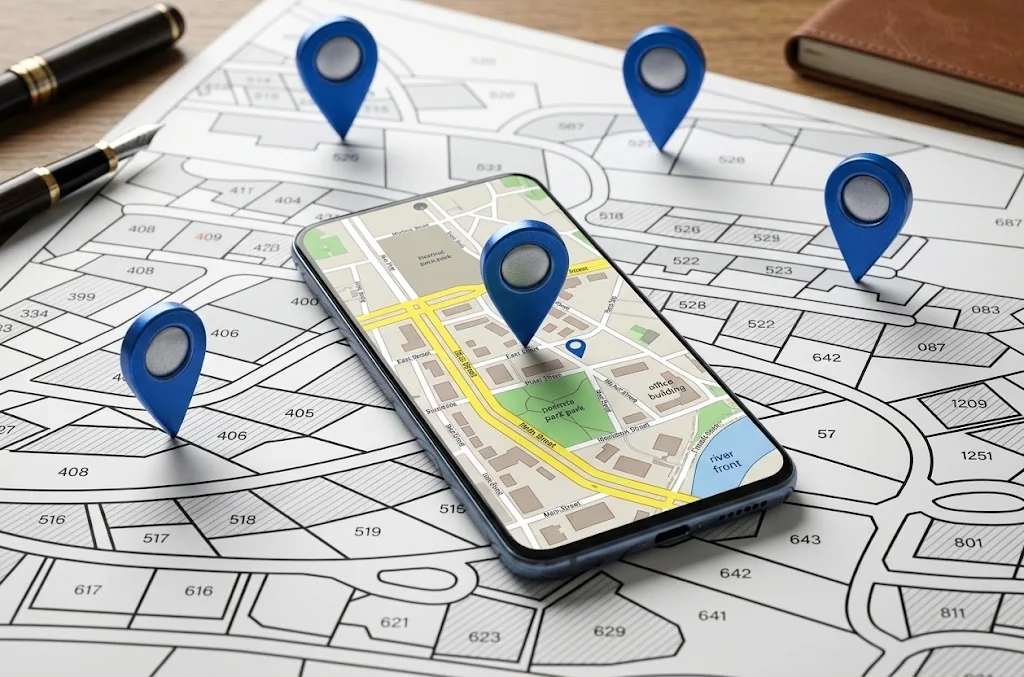
In brief: Open Google Maps, tap the blue dot for your position, and copy the Plus Code shown there. Anyone can paste that code into Maps search to navigate to you. For places far from home, share the full code; near a known town, a short code plus the town name works.
Table of contents
Millions of homes, market stalls, trailheads, and rural businesses have no usable street address. A Plus Code gives any of those places a short name anyone can type into Google Maps: a string like 9C3XGV4C+7V that works like an address where no address exists.
This guide shows how to find your code, how to share it so a stranger can actually arrive, and when plain coordinates are the better choice. If you already have coordinates and want the code, use our Plus Code converter directly. New to coordinates? Start with how to find your current GPS coordinates.
Find your code in under a minute
The fastest route lives inside Google Maps, and you need no new app:
- Open Google Maps on your phone and wait for the blue dot that marks your position.
- Tap the blue dot. A card opens with your Plus Code on it.
- Copy the code and send it like a phone number: message, email, or booking note.
- The recipient pastes it into Maps search on any device and gets walking or driving directions to you.
For a place you are not standing at, long-press the map to drop a pin instead. Maps shows the code for the pinned spot, which works for entrances, parking bays, and picnic tables as well as buildings.
Full codes travel, short codes stay local
This distinction causes most failed deliveries, so learn it once:
| Code type | Example | When it works |
|---|---|---|
| Full code | 9C3XGV4C+7V | Anywhere on Earth, no extra context needed |
| Short code plus locality | GV4C+7V with town name | Only near the stated town or city |
| Short code alone | GV4C+7V | Ambiguous, do not share it this way |
A short code drops the area prefix, which is fine when the driver is already in your town and dangerous otherwise. The same short code repeats in every grid square worldwide. When in doubt, share the full code. It costs a few extra characters and removes the most common failure mode entirely.
What the code actually contains
A Plus Code is not a record in a company database. It is latitude and longitude rewritten in a 20-character alphabet without vowels or easily confused pairs, on a fixed global grid. Nearby places get similar codes, and the plus sign after the eighth character is only a visual separator.
That design has three practical consequences. First, codes work offline: encoding is arithmetic, so our converter runs fully in your browser tab. Second, a longer code names a smaller area: 10 digits cover roughly a 14-metre square, 11 digits about 3.5 metres. Third, anyone can verify a code without trusting the sender, by decoding it and checking the area on a map.
The limits follow from the same design. A code names an area, not a door: decoding returns the centre of that square. Rural squares at mid-latitudes stretch taller than they are wide. And a code cannot fix a bad GPS fix; if the coordinates came from an indoor guess, the code inherits that error.
How precise is each code length
Every two digits narrow the area by a factor of 400, so length choice matters:
| Digits | Area at equator | Good for |
|---|---|---|
| 8 plus + | About 280 by 280 m | Neighbourhood or village |
| 10 (standard) | About 14 by 14 m | A building or entrance |
| 11 | About 3.5 by 2.8 m | A door or parking bay |
| 13 | About 1 m | Survey-style pinpointing |
For everyday sharing, 10 digits are the sweet spot: short enough to dictate, precise enough to find a door. Use 11 when the meeting point sits inside a large open area such as a festival ground or a beach. Longer codes suit mapping work, not messages.
Verify before you trust
A code is easy to mistype and impossible to eyeball, so verify every important one. Paste it into Maps search and confirm the pin. For codes you generate yourself in our converter, decode the result back and check the centre sits where you expect.
Watch for the three classic errors. A short code without its locality resolves to the wrong continent. A single wrong character jumps the pin to a different grid cell, sometimes kilometres away. And a code generated from an indoor GPS guess inherits that guess: the code is exact, but the position it encodes was never right.
When coordinates beat codes
Codes win when a person reads, hears, or types the location. A delivery rider on a call, a guest following a message thread, and a printed booking confirmation all favour the short readable string.
Coordinates win everywhere software does the reading. GIS tools, fleet systems, aviation and marine plotters, and surveying apps expect decimal latitude and longitude. If your recipient pastes locations into professional software, send both: the code for the human and the coordinates for the machine.
Never treat either as proof of identity. A code or coordinate pair says where, never who. For meeting a stranger, pair the location with arrival alerts rather than sending a precise home position hours ahead.
Share it so a stranger arrives
A code alone sometimes fails for human reasons, not technical ones. Add one line of context: which entrance, which floor, what the place looks like from the street. For events, send the code the day before and a live pin on the day. For deliveries, put the full code in the address line and the landmark hint in the delivery note.
Check your work before sending. Paste the code into Maps search yourself and confirm the pin sits on the right building. That ten-second test catches every common mistake: a short code without locality, a transposed character, and a pin dropped on the wrong side of the street.
Frequently asked questions
Where do I find my Plus Code in Google Maps?
Open Google Maps on your phone and tap the blue dot that marks your position. A card appears with your Plus Code, which you can copy and share like a phone number. You can also long-press any spot on the map to drop a pin and read the code for that exact place.
What is the difference between a full and a short Plus Code?
A full code such as 9C3XGV4C+7V works anywhere on Earth by itself. A short code such as GV4C+7V drops the first characters and only makes sense near a stated locality, for example GV4C+7V with the town name. Share full codes unless you are sure the recipient is nearby.
Do Plus Codes work offline?
You can generate and decode them offline because the system is fixed math, not a database lookup. Our converter tool runs entirely in your browser. Navigating to a code still needs the Maps app with downloaded offline maps or a connection.
Are Plus Codes free to use?
Yes. The Open Location Code algorithm is published under the Apache 2.0 licence, and Google Maps has accepted Plus Codes in search since 2015. No account, payment, or registration is required to create or share one.
Should I share a Plus Code or plain coordinates?
Share a code when a person needs to read, hear, or type the location: it is shorter and avoids confusing characters. Share decimal coordinates when the recipient uses GIS software, aviation or marine tools, or anything that does not understand Plus Codes.