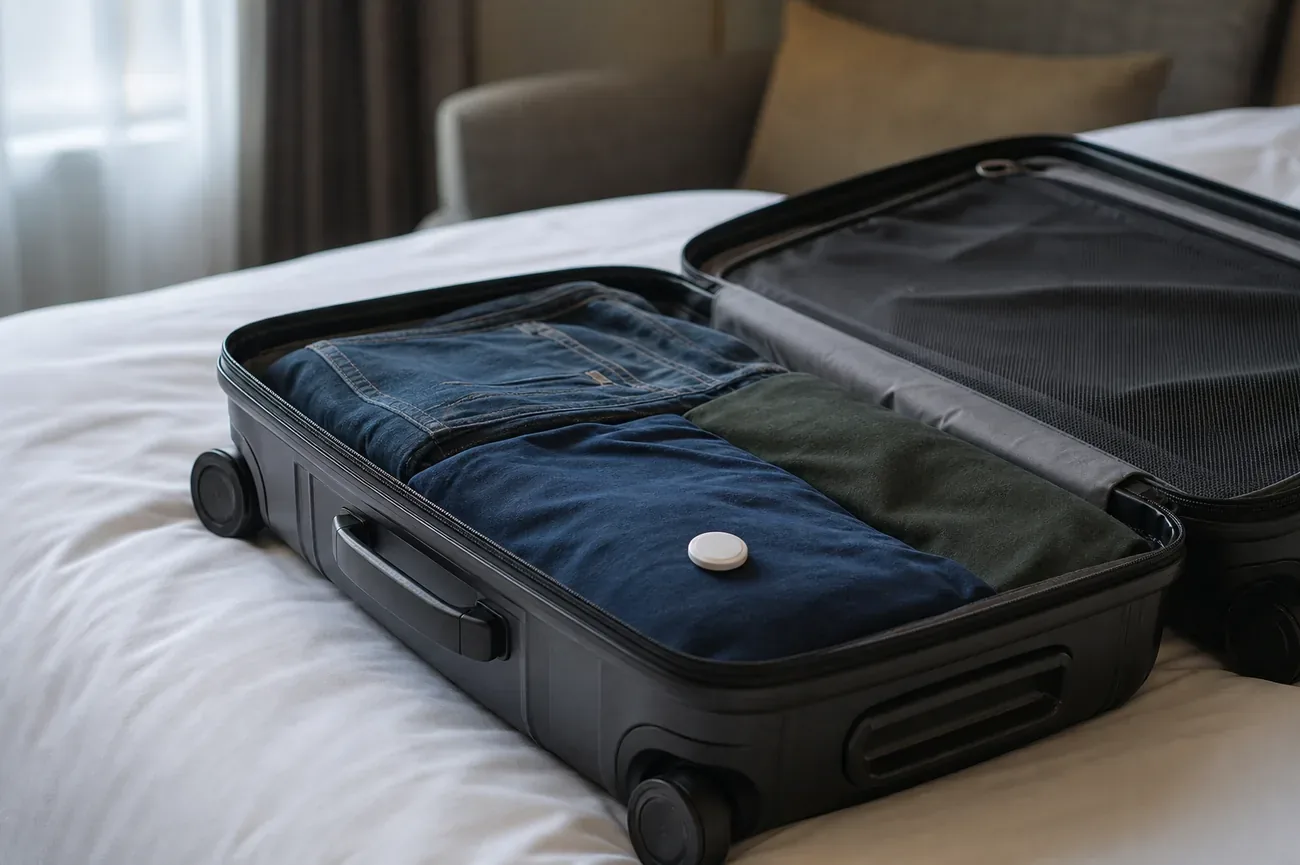
In brief: If an airline loses your bag, open Find My, tap the AirTag inside it, and use Share Item Location to send the airline a live tracking link. More than a dozen major airlines now accept these links in their baggage tracing process. If your airline does not, a timestamped screenshot of the Find My map plus a Property Irregularity Report filed before you leave the terminal is your fallback.
Table of contents
The bag carousel stops. Every other passenger pulls their bag and leaves. Yours does not appear. You open Find My, and there it is: your AirTag, pinging from the very airport you are standing in. The baggage agent looks up your flight, types something, and says, “I’m sorry, we have no information on your bag.”
That gap between what your phone knows and what the airline admits used to be the whole story of lost luggage in the AirTag era. Since November 2024 it does not have to be: Apple now lets you send the airline a live link to your bag’s location, and a growing list of carriers accept it directly in their tracing process. This guide covers how to use that link, and what to do when the airline still will not listen.
Share your AirTag location with the airline first
In November 2024, Apple introduced Share Item Location, a Find My feature that generates a secure link showing the live position of an AirTag or Find My accessory. Airlines that support it let you paste that link into their delayed baggage report, after which agents see your bag on an interactive map inside their own tracing tools. According to Conde Nast Traveler, more than 15 airlines committed at launch, including United, Delta, Air Canada, British Airways, Lufthansa, Aer Lingus, Air New Zealand, Austrian Airlines, and Brussels Airlines, with more carriers adding support since.
The process is straightforward:
- Open Find My, tap Items, and select the AirTag in your bag.
- Tap Share Item Location and generate the link.
- File the airline’s delayed baggage report online or at the desk, and paste the link into the report form where offered.
- Keep the link active. It expires automatically after seven days, sharing stops the moment you are reunited with the bag, and you can revoke it at any time.
This changes the old dynamic completely. Before, travelers could see the bag while agents stared at an empty database, and getting the airline to act on a passenger’s screenshot depended on the mood of whoever staffed the desk. Now the location arrives inside the airline’s own workflow, which is why airline travel advisors have called the integration a clear win for customers.
If your airline does not accept share links yet, everything below still applies: the screenshot protocol, the escalation script, and your compensation rights work with or without airline integration.
What your AirTag can and cannot do in a lost-bag situation
An AirTag has no GPS. This point matters enormously for managing expectations. The device pings the Find My network when an iPhone passes within Bluetooth range, and that ping registers the location of the nearby iPhone, not a satellite fix on your bag. As The Points Guy explains, the official iPhone Bluetooth range is about 800 feet, but the effective range varies with walls, metal containers, and baggage carts.
The practical implications are two things. First, location updates stop during the flight: no iPhones pass through the cargo hold at cruising altitude, so Find My shows the last airport where a ping occurred. This is normal. Second, update frequency in a terminal depends entirely on iPhone traffic. A busy hub might update your bag every few minutes, while a smaller regional airport can take half an hour or more between pings.
What an AirTag does reliably:
| Situation | What the AirTag tells you |
|---|---|
| Bag is in the terminal | Approximate location, updated within the last 15 to 30 minutes |
| Bag was misrouted to another city | Name of the city or airport where it last pinged |
| Bag is in an airline office or storeroom | Often resolves to the office building or terminal section |
| Bag is inside an aircraft hold | Location frozen at last ground ping, typically the departure airport |
What an AirTag cannot tell you: who has the bag, whether it has been opened, or its precise position inside a large building. It narrows the problem from “somewhere in the world” to “a specific city and terminal,” which is enough to change every airline conversation. For why updates stall and how the network behaves mid-journey, see does an AirTag work without an iPhone nearby, and see the full AirTag checked luggage rules guide for airline policies on trackers in hold baggage.
The screenshot protocol: your backup when links are not accepted
Even with share links available, take a timestamped screenshot before you join the queue at the baggage desk. Not every airline accepts links yet, some agents do not know the feature exists, and a screenshot taken at the moment of arrival eliminates any ambiguity about what your tracker showed and when.
Exactly what to capture:
- Open Find My on your iPhone.
- Tap Items and select your bag’s AirTag.
- Wait for the location to update if it can.
- Take a full screenshot so the screen shows: the map with the pin, the address or airport name, and the time.
- If Find My shows “Last Seen” with a time rather than “Now,” screenshot it anyway. It is still useful.
- Email the screenshot to yourself immediately. Cloud-backed copies survive a dead phone battery.
A useful script at the desk: “My bag hasn’t arrived. I have a Bluetooth tracker inside it, and I can share a live location link. Here is also a screenshot from two minutes ago showing it at [Terminal X / Airport Z]. Can you confirm whether your tracing system shows any scan events at that location?”
Most agents respond to that specific question more effectively than to a general “my bag is lost” complaint, because you are giving them a place to look, not just a problem to acknowledge.
When the AirTag shows your bag at the right airport
This is the most common scenario, and the most recoverable. SITA’s 2024 baggage report puts the global mishandled rate at 4.2 bags per 1,000 passengers, and roughly 80 percent of mishandled bags are merely delayed. A large share simply ends up in an airport storeroom, at an adjacent carousel, or in a late-arrival hold area.
If Find My places your bag somewhere in the same terminal complex:
- Ask the agent to check the storeroom physically. Bag scan events in tracing systems can lag. The physical bag may already sit in the storeroom waiting for someone to match it to a passenger.
- Name the specific terminal or gate area the tracker shows and ask whether a baggage team is active there. Large airports have multiple sub-sections, and an agent at the main desk may not see all of them.
- Request delivery to your hotel or final destination address. If the bag is confirmed in the airport but the next carousel slot is hours away, most airlines will deliver it rather than require you to wait.
One pattern recurs in travel community reports: the bag sits in the arrival terminal’s lost-and-found section with a garbled tag from baggage handling, unmatched in the tracing system. A tracker placing the bag at a precise terminal section gives the agent a search area the database cannot provide on its own.
When the AirTag shows your bag in a different city
A different-city ping is actually the better kind of lost bag. The bag exists, it has a known location, and it sits in a structured baggage system rather than being genuinely missing. The airline almost certainly holds it even if the agent at your destination has not connected the data yet.
Steps for a misrouted bag:
- Note the city and airport code your tracker shows.
- Tell the agent: “My tracker shows the bag at [Airport Code]. Can you check the tracing file for that station for a bag matching my description?”
- Request expedited forwarding (airlines call it a rush tag or equivalent). Misrouted bags can go on the next available flight, often arriving within hours on busy routes.
- File the PIR regardless, because you need the reference number for any expense claim for essentials bought during the delay.
- Keep checking Find My. When the bag leaves the other airport and arrives at yours, the location updates once it is back in a terminal.
Under DOT regulations, US carriers must reimburse reasonable expenses for essential items when a bag is delayed on a domestic flight. International routes follow Montreal Convention rules on damage caused by delay. Save every receipt for toiletries, clothing, and medication purchased because your bag is missing.
When the airline denies what your screen shows
This is where most travelers get frustrated: the tracker says Terminal C, the agent says “we have no record of your bag.” The gap is real and explainable. Tracing systems track bags by scan events: a handler scans the bag at each transfer point. If the bag was placed in a storeroom without being scanned, or moved by hand between areas, the system shows nothing while your tracker updates normally.
How to escalate effectively:
At the desk:
- “I understand the system may not show a scan. My tracker shows the bag at [specific location] as of [time], and I can share a live link. Could you request a physical check of that area?”
- If the agent cannot or will not act on that: “Can I speak with the duty manager for baggage?”
The duty manager conversation:
- Present the share link or screenshot, the PIR number, and the specific location.
- Ask them to initiate a manual bag search at the location your tracker shows.
- Request a written response by email within a few hours.
Document every name, time, and commitment. Airlines respond to written records far better than to verbal promises.
The stakes of persistence are real. CNN reported on a Denver mother whose daughter’s checked lacrosse bag went missing on a United connection through Chicago O’Hare: the tracker showed the bag at O’Hare for days while the airline insisted it was lost, and she ultimately flew to Chicago and recovered it herself. Do not book a flight over a bag, but do treat a consistent tracker location as ground truth worth escalating over.
If the bag remains unlocated after 24 hours despite a consistent location, escalate beyond the airport desk: call the airline’s corporate customer relations line with your PIR number, screenshots, and a timeline, and send a written complaint by email with “Missing bag [PIR] - Location evidence attached” as the subject line.
Your legal rights: DOT, EU rules, and the Montreal Convention
Bluetooth tracker comparison covers hardware differences. The regulatory framework below covers what the airline owes you regardless of hardware.
US domestic flights:
US Department of Transportation rules under 14 CFR Part 254 require airlines to compensate for lost bags up to a per-passenger cap (DOT adjusts this figure periodically for inflation, so verify the current limit at transportation.gov before quoting a number in your claim). Airlines cannot write contract terms that reduce this liability. File with the airline first, and if they deny or lowball the claim, file with the DOT at airconsumer.dot.gov.
International flights:
The Montreal Convention (1999), in force across more than 130 countries including the US, EU, Canada, Australia, and the UK, caps airline liability for checked bags per passenger in Special Drawing Rights, an IMF unit worth a little over one US dollar. The limit is reviewed periodically for inflation, so confirm the current figure when filing. Airlines cannot contract out of this liability on qualifying international routes. File your claim within two years of the flight.
EU routes:
On flights departing any EU airport (any carrier), or arriving at any EU airport on an EU carrier, airlines must acknowledge liability for lost baggage and respond to claims in writing within 21 days. The compensation framework runs parallel to the Montreal Convention caps but requires the airline to provide written information about your rights at the time of the incident. If the airline fails to provide this information, that failure itself is grounds for a complaint to the national aviation authority.
Travel insurance is the practical answer to the liability gap. Most travel insurance policies with baggage coverage pay per item based on purchase receipts and replacement cost, not the convention cap. Premium travel credit cards often include baggage delay and loss coverage as a card benefit. Confirm the exact terms before travel, because delay coverage and loss coverage have different claim processes.
Filing the evidence: PIR, tracing files, and your screenshots
The Property Irregularity Report (PIR) is the document you must file before leaving the terminal. Everything else, compensation claims, DOT complaints, insurance claims, depends on having this reference number. If an agent tells you to call later or come back tomorrow before filing the PIR, do not leave without filing it.
What to provide when filing the PIR:
- Flight number and date
- Bag description (color, brand, approximate size, any distinguishing marks)
- Your contact information and the address where the bag should be delivered
- Your tracker’s last known location, the share link if accepted, and the screenshot timestamp
Ask the agent to note the tracker location in the tracing file. Not all agents know how to do this, but many will add it to the free-text comment field, which baggage tracing teams at other airports can see.
After filing:
- Email the PIR number and all screenshots to yourself within the hour.
- Keep a running log of every call, the agent’s name, and what they committed to.
- Check Find My every 30 minutes while you are at the airport. If the location changes, screenshot each update.
What happens after 21 days: the permanently lost bag
Most US airlines declare a bag permanently lost after 21 days of unsuccessful tracing. At that point, the process moves from recovery to compensation.
Submit your claim with:
- The PIR number and all tracing updates you received
- Your tracker evidence (Find My keeps no full location log, so your screenshots and share link history are the record)
- A written inventory of the bag’s contents with estimated values
- Receipts for anything you can document
- Evidence of the bag’s own value
The airline will typically offer a settlement below the liability cap. You can negotiate, particularly if your receipts and documentation are organized. If the offer is unreasonable, the DOT complaint process and small claims court (for amounts within state limits) are both viable paths. Many travelers have recovered the full liability cap through small claims without legal representation, using their PIR, correspondence logs, and tracker screenshots as evidence.
Use the location at the desk, not in the letter
Most lost-luggage guides treat the tracker as a passive record keeper, something you check after the fact. The travelers who recover bags fastest treat it differently: they use the location in real time as leverage in the conversation, not as evidence presented after the airline has already denied the claim.
The difference is timing. Share the link and screenshot before you reach the desk. Show the agent immediately. Ask them to act on the specific location right now. A bag in an airport storeroom that gets a physical check within the first hour is almost always recovered that day. The same bag, left unlocated for 48 hours while paperwork moves through the tracing system, often takes a week.
Your phone knows where the bag is. That is the advantage. Use it at the desk, not in the claims letter you write three weeks later.
Frequently asked questions
Can I share my AirTag location with the airline?
Yes. Since November 2024, Apple lets you generate a Share Item Location link in Find My and send it to participating airlines, which open it in their baggage tracing tools. United, Delta, Air Canada, British Airways, Lufthansa, and more than a dozen others accept these links. File your delayed baggage report first, then paste the link into the report form or hand it to the agent. The link expires automatically after seven days.
My AirTag shows my bag at the airport but the airline denies having it. What do I do?
Ask for a physical check of the specific spot your tracker shows, not another database lookup. Airline tracing tools log bags by scan events, so an unscanned bag in a storeroom is invisible to the agent while your AirTag updates normally. Share your live location link, or show a timestamped screenshot, and ask for the duty manager if the desk agent will not act. Document every name, time, and promise in writing.
Why is my AirTag not updating since I checked the bag?
An AirTag has no GPS. It only reports a location when an iPhone passes within Bluetooth range, so the map freezes at the last ground ping for the whole flight. Updates resume once the bag is back in a terminal or handling area with iPhone traffic. A frozen location mid-flight is normal, not a malfunction. See the full explanation of how the Find My network behaves in transit.
What does it mean when my AirTag shows my bag in a different city?
It means the bag was misrouted, not lost, which is good news: the bag exists and sits inside a structured baggage system. Give the agent the airport code your tracker shows, file a Property Irregularity Report, and request expedited forwarding on the next available flight. Airlines can usually rush a misrouted bag within hours on busy routes. Keep your receipts for essentials bought during the delay.
How do I file a DOT complaint about a lost bag?
File at airconsumer.dot.gov through the Aviation Consumer Protection Division online form. Include your PIR number, flight details, a timeline of airline communications, and your AirTag screenshots or share link as evidence. The DOT forwards the complaint to the airline and tracks response rates. On EU routes, complain to the national aviation authority of the departure country, which must respond in writing.
How long does an airline have before a bag is declared permanently lost?
Most US airlines declare a bag permanently lost after 21 days of unsuccessful tracing. International claims under the Montreal Convention follow the same 21-day window. Once declared lost, you can claim compensation up to the applicable liability cap, so keep your PIR number, screenshots, receipts, and a written inventory of the contents. Always file the PIR before leaving the terminal.